Getting Your Free Gemini API Key
FM Sidekick uses the "Bring Your Own Key" (BYOK) model to provide elite tactical intelligence for free. By using your own Google API key, you enjoy high-performance AI without any platform fees.
The Gemini free tier is completely risk-free; if you reach a rate limit, the service simply pauses until it resets—you will never be charged a cent. This model also gives you the flexibility to leverage Google's most powerful Pro models at any time by simply enabling billing in your Google AI Studio project.
Step-by-Step Instructions
Sign in to Google
Log in to your Google account. If you don't have one, you will need to create one to access the API.
Access Google AI Studio
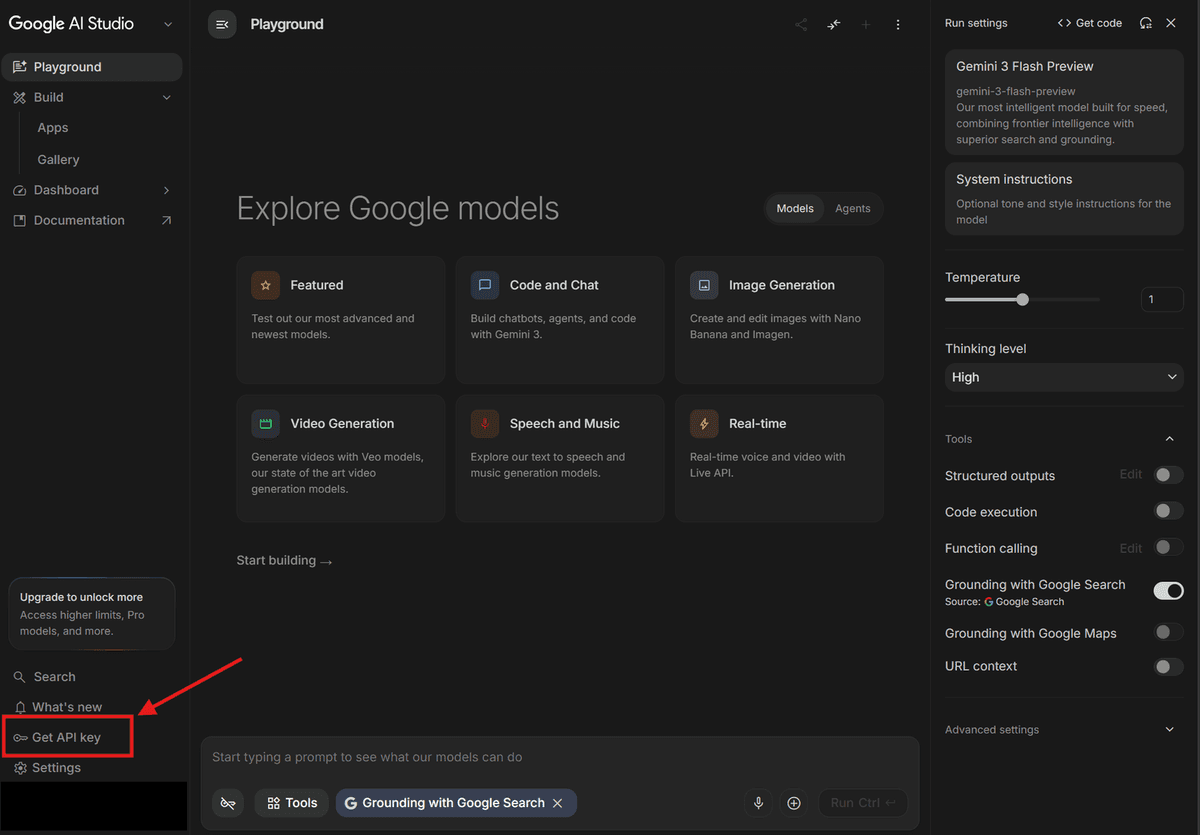
Navigate to Google AI Studio. Click the "Get API key" button found in the left sidebar.
Create New Project
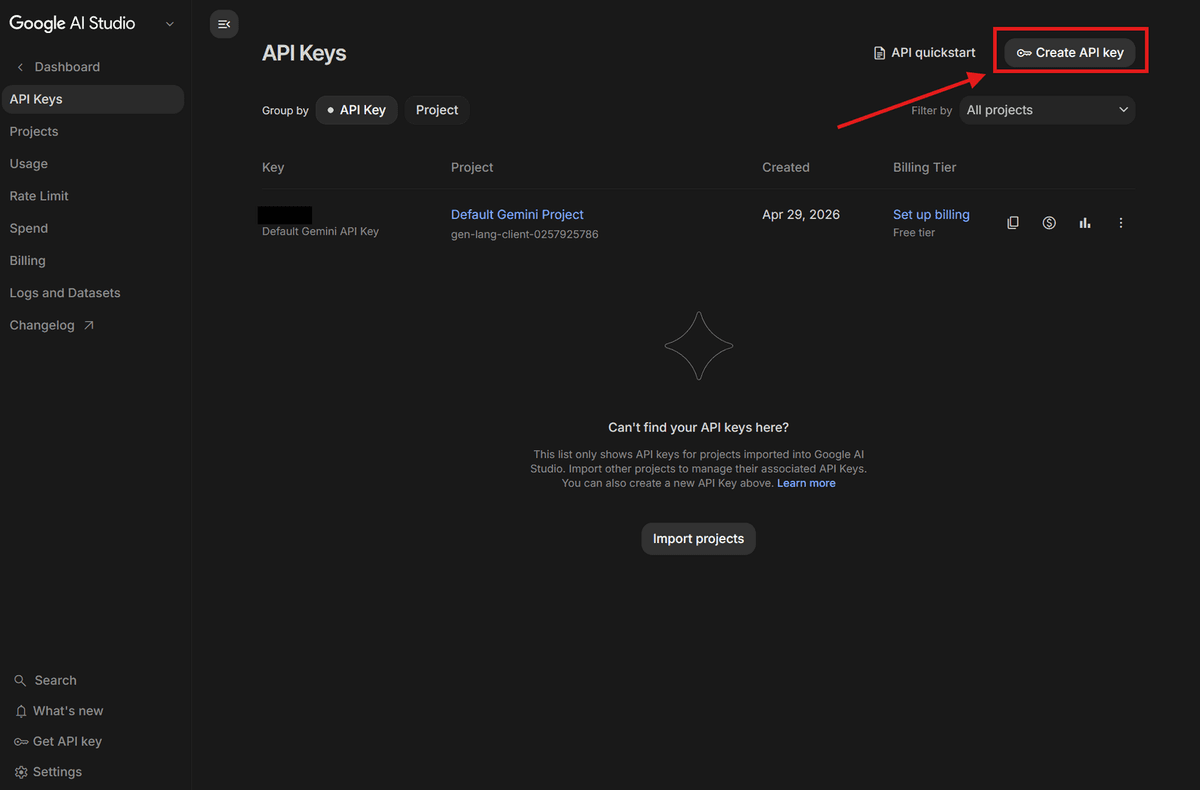
Click the "Create API key" button. You will be prompted to create the key in a new project if you don't have one yet.
Select a Project
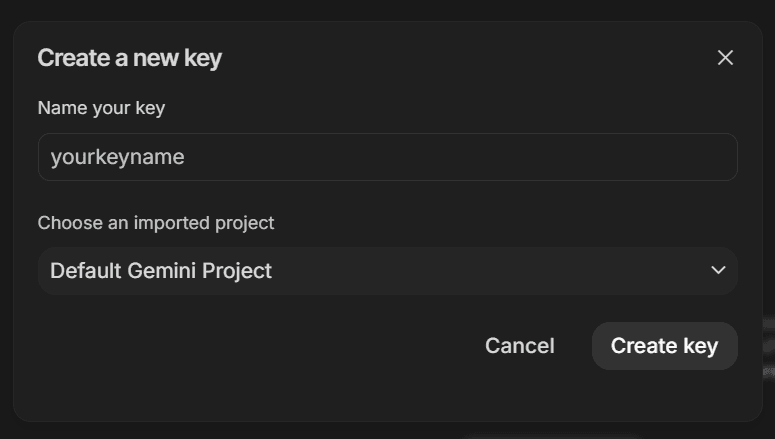
You can choose to generate your key within the Default Project or create a New Project. A new API key will be generated for your chosen project.
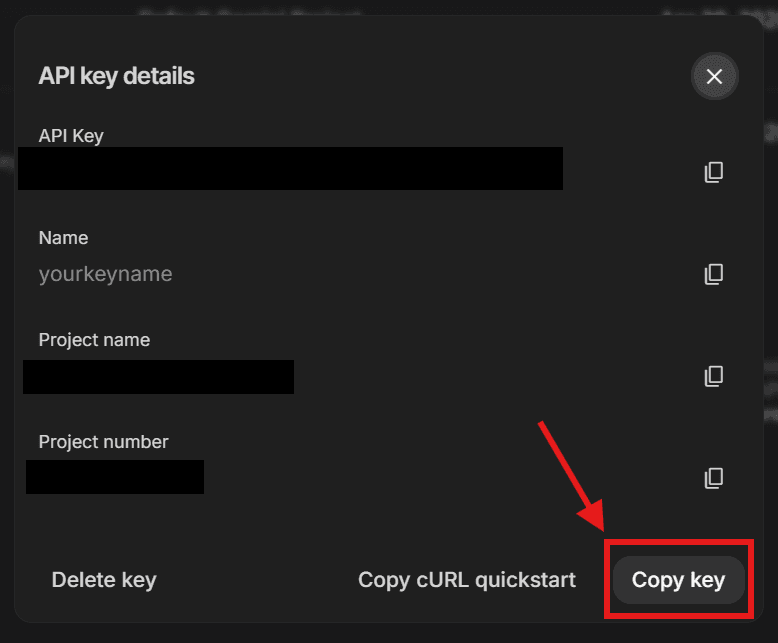
Copy Your Key
Once generated, click the "Copy" button to save your API key. Never share this key with anyone.
Important Considerations
Free Tier Limits
The free tier currently allows for generous usage (up to 15 requests per minute), which is more than enough for a typical Football Manager session.
Privacy & Data
Note that on the free tier, Google may use your anonymized inputs to improve their models. Your tactical secrets are safe from rivals, but Google sees the data.
Security Tip
FM Sidekick stores your key locally on your machine. It is never sent to our servers. To keep your key safe, avoid posting screenshots of your settings page online.